
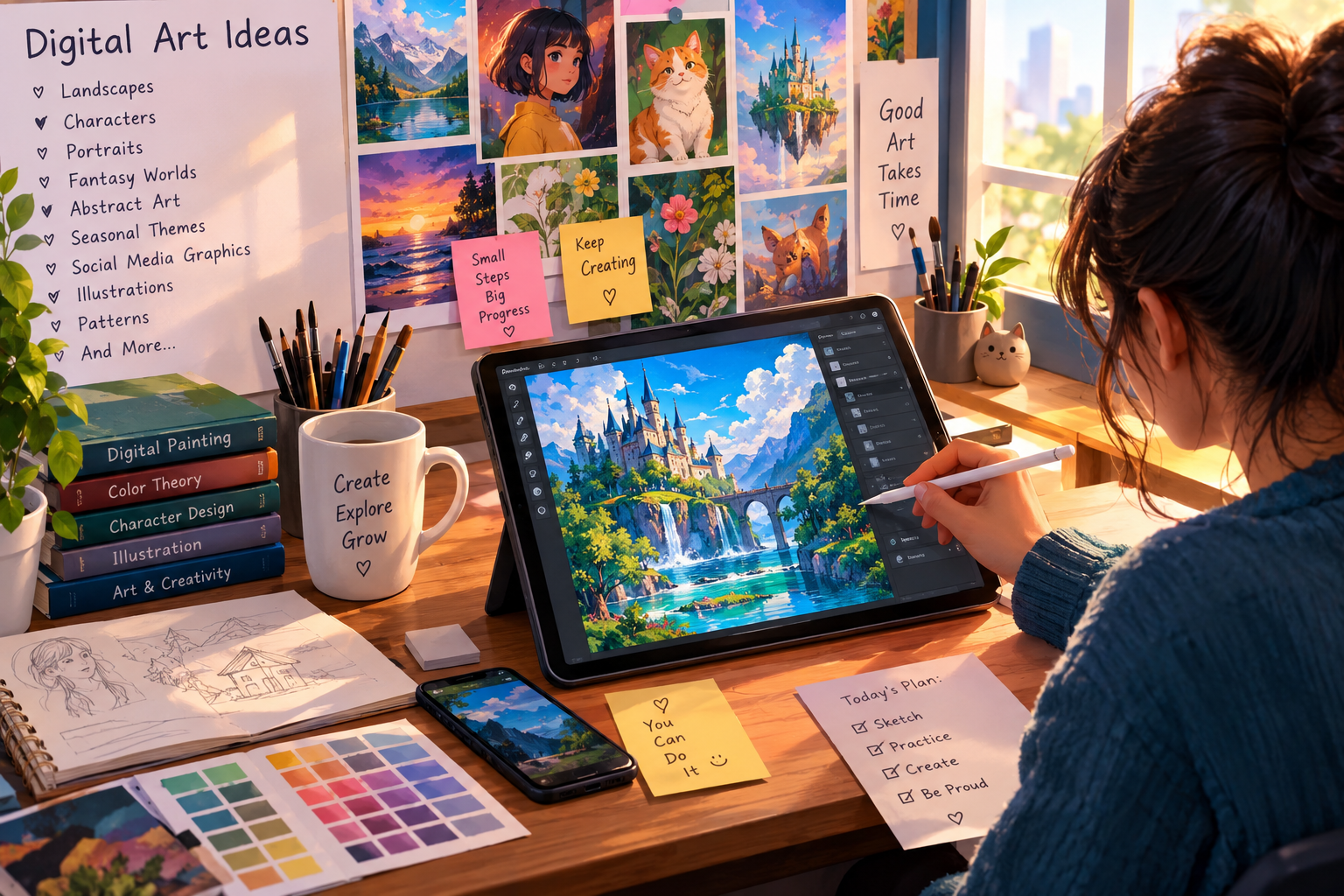

digital Art ideas can open the door to a world of creativity, learning, and personal expression. Whether you’re a complete beginner, a student, a hobby artist, or someone who already enjoys drawing, digital art gives you many ways to turn simple thoughts into attractive visual work. Unlike traditional art, digital artwork can be created, edited, copied, layered, and improved without wasting paper or paint.
From colorful character designs to peaceful landscapes, abstract illustrations, digital portraits, fantasy scenes, and simple social media graphics, there’s something for almost everyone. The best part is that you don’t need to create a masterpiece on your first try. A simple sketch can be the starting point for something much more interesting.
This guide explores practical digital Art ideas, useful techniques, beginner-friendly projects, tools, common mistakes, and ways to develop a personal style.
What Is Digital Art?
Digital art is artwork created or finished with electronic devices and digital software. Instead of using a traditional canvas, artists can work on a computer, tablet, or smartphone.
A digital artist may use:
- A drawing tablet
- A computer or laptop
- A smartphone
- A digital pen or stylus
- Drawing and painting software
- Photo-editing applications
- 3D design programs
Digital art can look very different depending on the artist’s goals. Some artists create work that looks almost exactly like pencil or watercolor paintings. Others use bright colors, unusual shapes, geometric patterns, or completely imaginary environments.
The flexibility of digital tools makes experimentation much easier. If you make a mistake, you can often undo it. If you don’t like a color, you can change it. If part of an illustration needs to move, layers can make that process much simpler.
Why digital Art ideas Are Popular
The popularity of digital art has grown because technology has made creative tools easier to access. Artists no longer need a large studio filled with paints, brushes, canvases, and other supplies to begin experimenting.
Digital art also offers several practical benefits.
Easy Editing
One of the biggest advantages is the ability to edit your work. An artist can erase, resize, recolor, move, or replace elements without starting the entire artwork again.
Many Creative Options
Digital software can provide brushes that imitate:
- Pencil
- Charcoal
- Ink
- Oil paint
- Watercolor
- Pastels
- Markers
This means one device can support many different artistic styles.
Layer-Based Work
Layers allow artists to separate different parts of an illustration. For example, a landscape may have separate layers for the sky, mountains, trees, clouds, and foreground.
Convenient Storage
Digital artwork can be stored on a computer, external drive, or cloud service. Artists can also create multiple versions of a project.
Easy Sharing
Once artwork is complete, it can be shared through websites, portfolios, social media platforms, online communities, or digital marketplaces.
Beginner-Friendly digital Art ideas
Starting with a simple project is often the smartest approach. Beginners sometimes make the mistake of choosing a highly detailed portrait or complicated fantasy scene immediately. That can become frustrating.
Instead, begin with projects that help you practice one skill at a time.
Simple Nature Illustration
Draw a basic landscape with:
- Mountains
- Trees
- Clouds
- A river
- Grass
- The sun or moon
This project can teach you about composition, color, shapes, and depth.
Digital Flower Drawing
Flowers are excellent subjects for beginners because their forms can be simplified. Try drawing roses, sunflowers, tulips, or imaginary flowers.
Experiment with different color combinations rather than trying to make everything realistic.
Cute Animal Illustration
Create a simple cartoon-style cat, dog, rabbit, bird, or fox. Focus on the shape of the body and the expression of the face.
Digital Pattern Design
Create repeating patterns using leaves, stars, hearts, geometric shapes, or small objects. Patterns can help you understand repetition and visual balance.
Simple Food Illustration
Illustrate a cup of coffee, a slice of cake, fruit, pizza, or another favorite food. Food illustrations can be playful and colorful.
Creative digital Art ideas for Students
Students can use digital art as a way to combine creativity with school projects. It doesn’t have to be limited to free drawing.
Here are several possibilities:
- Digital posters
- Educational diagrams
- Story illustrations
- Book-cover concepts
- Historical scene illustrations
- Science-themed artwork
- Digital comics
- Presentation graphics
- Infographics
- Character design
- Environmental awareness posters
For example, a student studying the solar system could create an illustrated space scene. Someone studying environmental science could design a poster showing forests, oceans, wildlife, and pollution.
The key is to use art to communicate an idea rather than simply decorating a page.
digital Art ideas for Character Design
Character design is one of the most exciting areas of digital illustration. Artists can create people, animals, robots, fantasy creatures, superheroes, or completely imaginary characters.
Start with basic questions:
- Who is the character?
- What is their personality?
- What environment do they live in?
- What clothes do they wear?
- What colors represent them?
- What makes their appearance memorable?
You don’t need to create complicated costumes immediately. A strong silhouette, interesting hairstyle, unusual accessory, or distinctive color combination can make a character recognizable.
Try Character Expressions
Create the same character with different emotions:
- Happiness
- Anger
- Surprise
- Fear
- Sadness
- Confusion
- Excitement
This is useful practice because facial expressions can make digital illustrations feel more alive.
digital Art ideas for Portraits
Digital portraits are another popular project. They can be realistic, semi-realistic, cartoon-like, or highly stylized.
Beginners should avoid worrying about every tiny detail. Instead, focus on:
- Basic head shape
- Placement of the eyes
- Nose position
- Mouth placement
- Hair shape
- Light direction
- Skin tones
- Facial proportions
A useful method is to begin with a simple sketch before adding color.
For a stylized portrait, you can exaggerate certain features. For example, you might use larger eyes, simplified hair, or unusual colors.
Fantasy-Based digital Art ideas
Fantasy art gives artists almost unlimited freedom. You can combine things that don’t normally exist together.
Imagine:
- A floating city above the clouds
- A magical forest
- A castle surrounded by waterfalls
- A dragon flying over an ancient village
- A glowing underwater kingdom
- A moonlit desert
- A futuristic wizard
- A giant tree containing small homes
Fantasy art is particularly useful for practicing imagination and storytelling.
When creating a fantasy scene, don’t just add random objects. Think about the story behind the picture. Who lives there? What happened before the scene? What might happen next?
That small shift can turn an attractive picture into an artwork with meaning.
Abstract digital Art ideas
Not every artwork needs to show a recognizable person, place, or object. Abstract art allows artists to experiment with colors, shapes, textures, and movement.
You could create an abstract piece using:
- Curved lines
- Circles
- Squares
- Color gradients
- Splashes
- Repeated shapes
- Digital textures
- Light effects
Try choosing three or four colors and building the entire composition around them.
Abstract art can also be connected to emotions. For example, sharp shapes and strong contrasts might communicate energy, while soft curves and gentle colors may create a calmer feeling.
There’s no single formula for making abstract art. That’s part of the fun.
Digital Landscape Art
Landscape art is a great way to practice depth and lighting.
A simple landscape can contain three major areas:
| Area | Examples | Main Purpose |
|---|---|---|
| Foreground | Grass, rocks, flowers | Creates closeness |
| Middle ground | Trees, houses, roads | Builds depth |
| Background | Mountains, sky, clouds | Creates distance |
One useful technique is to make objects in the foreground more detailed while keeping distant objects simpler.
Lighting also matters. A sunrise may use warm colors, while a nighttime scene may use darker tones and bright highlights.
Digital Art Ideas Inspired by Seasons
Each season offers different colors, subjects, and moods.
Spring
Try:
- Flower fields
- Rainy streets
- Birds
- Fresh green trees
- Colorful gardens
Summer
Try:
- Beaches
- Sunsets
- Tropical plants
- Ice cream illustrations
- Outdoor scenes
Autumn
Try:
- Falling leaves
- Cozy rooms
- Forest paths
- Pumpkins
- Warm-colored landscapes
Winter
Try:
- Snow-covered villages
- Winter clothing
- Snowflakes
- Frozen lakes
- Cozy homes
Seasonal art is also useful for practicing color palettes.
Digital Art Ideas for Social Media Graphics
Digital artists can also create visual content for social media and websites. These projects may include:
- Quote graphics
- Event posters
- Story backgrounds
- Profile banners
- Simple advertisements
- Educational posts
- Blog illustrations
- Infographic designs
When creating social media graphics, remember that readability is important. A beautiful design isn’t very useful if people can’t understand its message.
Use clear typography, enough space, and a simple visual hierarchy.
Choosing the Right Digital Art Software
The best software depends on the artist’s needs, experience, and device.
Some applications are designed mainly for digital painting, while others focus on graphic design, photo editing, animation, or 3D artwork.
When selecting software, consider:
- Brush selection
- Layer support
- File formats
- Export options
- Device compatibility
- Pressure sensitivity
- Ease of use
- Available tutorials
Beginners should not feel pressured to use the most advanced program available. A simple application can be enough to learn fundamental skills.
Choosing a Digital Drawing Device
A mouse can be used for certain forms of digital design, but a stylus often makes drawing more natural.
Common options include:
Graphics Tablet
A graphics tablet connects to a computer and allows you to draw with a pen-like stylus.
Pen Display
A pen display lets you draw directly on the screen. It can feel more natural for artists who prefer traditional drawing.
Tablet Computer
Some tablets support styluses and can run drawing applications directly.
Smartphone
A phone can also be used for basic digital sketches and simple illustrations, especially when portability matters.
You don’t need expensive equipment to begin learning. Skill develops through practice, not simply through buying better hardware.
Understanding Layers in Digital Art
Layers are one of the most important features in digital art.
Imagine drawing a landscape. You might create:
- Sky layer
- Cloud layer
- Mountain layer
- Tree layer
- Ground layer
- Character layer
- Lighting layer
If you later decide that the clouds need to move, you can edit the cloud layer without damaging the mountains.
Layers also make experimentation easier. You can duplicate a layer, try a new idea, and return to the previous version if you don’t like the result.
Learning Color Theory
Color can dramatically change the mood of artwork.
Artists should gradually learn about:
- Primary colors
- Secondary colors
- Warm colors
- Cool colors
- Complementary colors
- Color harmony
- Saturation
- Brightness
For example, warm colors such as reds, oranges, and yellows can create an energetic feeling. Cooler colors such as blues and greens may create a peaceful atmosphere.
However, these effects aren’t absolute. Context, brightness, contrast, and cultural associations can change how colors are perceived.
The best way to understand color is to experiment.
Practicing Light and Shadow
Light and shadow can make flat digital drawings appear more three-dimensional.
Imagine a ball with a light source coming from the upper-left side. The upper-left area would generally receive more light, while the opposite side would become darker.
Practice with simple objects such as:
- Balls
- Cubes
- Cylinders
- Cups
- Apples
- Boxes
Once you understand basic forms, you can apply the same ideas to characters, buildings, and landscapes.
Adding Texture to Digital Artwork
Texture can make artwork feel more interesting.
You can experiment with textures that resemble:
- Paper
- Fabric
- Wood
- Stone
- Metal
- Water
- Clouds
- Fur
Texture should support the artwork rather than overwhelm it. A common beginner mistake is adding too many effects because they look exciting individually.
Sometimes, less really is more.
Common Digital Art Mistakes to Avoid
Learning what not to do can save a lot of time.
Starting Too Complicated
A highly detailed project may seem exciting, but it can become difficult quickly. Start with smaller projects and gradually increase the challenge.
Ignoring Layers
Putting everything on one layer can make editing difficult. Organize your work whenever possible.
Using Too Many Colors
A large collection of colors can make an illustration feel visually confusing. Start with a limited palette and expand it when needed.
Overusing Effects
Glows, shadows, filters, and textures can be useful. But excessive effects may hide the actual drawing.
Comparing Yourself With Professionals
Experienced artists have usually spent years practicing. Comparing your first month of work with someone’s tenth year isn’t a fair comparison.
Skipping Sketches
A quick sketch can help you solve composition problems before spending time on details.
How to Develop Your Own Digital Art Style
An artistic style usually develops through repeated practice and experimentation.
Don’t worry about finding a unique style immediately.
Instead:
- Draw regularly.
- Study different artists.
- Experiment with brushes.
- Try different color palettes.
- Practice different subjects.
- Analyze your older artwork.
- Keep the techniques you enjoy.
- Slowly remove techniques that don’t fit your goals.
Over time, certain choices may naturally appear in your work. You might prefer soft colors, bold outlines, realistic lighting, simple shapes, or detailed textures.
That’s how a personal visual language can begin to develop.
A Simple Digital Art Practice Routine
Regular practice can be more useful than occasional long sessions.
A simple weekly routine could include:
| Practice | Suggested Focus |
|---|---|
| Day One | Basic shapes |
| Day Two | Light and shadow |
| Day Three | Color practice |
| Day Four | Character sketch |
| Day Five | Nature or landscape |
| Day Six | Personal project |
| Day Seven | Review and improvement |
You don’t have to follow this exact schedule. The important thing is consistency.
Even a short practice session can teach you something if you pay attention to what worked and what didn’t.
Turning digital Art ideas Into Finished Projects
Having an idea is only the first step. Turning that idea into finished artwork requires planning.
A useful process is:
Idea → Reference → Sketch → Composition → Color → Detail → Lighting → Review → Export
First, decide what you want to communicate. Then collect appropriate references. Create a rough sketch before working on details.
After the main composition works, add colors and gradually develop the artwork.
Finally, inspect the complete piece. Look for awkward proportions, unnecessary details, distracting colors, or areas that need stronger contrast.
Then export the artwork in a suitable file format.
Finding Inspiration Without Copying
Inspiration can come from almost anywhere:
- Nature
- Architecture
- Books
- Movies
- Music
- Everyday objects
- Dreams
- Travel
- Fashion
- Traditional artwork
- Photography
However, inspiration doesn’t mean copying another artist’s work.
Instead of reproducing a particular artwork, ask yourself what you like about it. Maybe it’s the lighting, composition, colors, mood, or subject.
Then use that idea to create something new.
Building a Digital Art Portfolio
If you’re serious about developing your skills, keep your strongest artwork in a portfolio.
A portfolio might include:
- Character illustrations
- Portraits
- Landscapes
- Abstract pieces
- Posters
- Concept art
- Personal projects
Don’t feel that you need hundreds of pieces. A smaller collection of thoughtful work can communicate your abilities more clearly.
It’s also useful to keep older artwork privately. Looking back after several months can show how much you’ve improved.
How Digital Art Can Support a Creative Career
Digital art skills can be useful in many creative fields.
Potential areas include:
- Illustration
- Graphic design
- Concept art
- Animation
- Game art
- Advertising
- Publishing
- Social media design
- Web design
- Educational content
- Digital marketing
Of course, learning the tools is only one part of becoming a professional. Communication, deadlines, creative problem-solving, and understanding client needs are also important.
Fun digital Art ideas to Try Today
If you’re wondering what to draw next, here are some quick project prompts:
- A tiny house inside a giant flower
- A city floating above the ocean
- A cat wearing an astronaut helmet
- A magical library
- A peaceful mountain cabin
- A futuristic marketplace
- A rainy street at night
- A robot gardener
- A fantasy underwater city
- A colorful dream world
- A character based on your favorite season
- An imaginary planet
- A peaceful sunset over a lake
- A surreal room where gravity doesn’t work
- A digital self-portrait with symbolic objects
You don’t have to make every idea realistic. Let your imagination do some of the heavy lifting.
Frequently Asked Questions About digital Art ideas
What are good digital art ideas for beginners?
Simple landscapes, flowers, food illustrations, basic characters, patterns, and cartoon animals are excellent starting points. They allow beginners to practice shapes, colors, layers, and shading without becoming overwhelmed.
Do I need a drawing tablet for digital art?
No. You can begin with a mouse, smartphone, or tablet. A drawing tablet can make certain types of illustration easier, but it isn’t a requirement for learning.
How can I improve my digital drawing skills?
Practice consistently, study basic drawing principles, use references, experiment with color and lighting, and review your older work. Small improvements can add up over time.
Is digital art difficult to learn?
It can feel challenging at first because you’re learning both artistic concepts and software controls. However, regular practice makes the process easier.
What should I draw when I have no ideas?
Use simple prompts. Pick an object, animal, place, emotion, or color and combine it with something unexpected. For example, draw “a tiny bookstore on the moon.”
Final Thoughts on digital Art ideas
Creative work doesn’t have to begin with a perfect plan. Sometimes the best artwork starts with a rough sketch, a strange idea, or a simple experiment. The important thing is to keep learning and creating.
The wide range of digital Art ideas means artists can explore portraits, landscapes, characters, fantasy scenes, abstract designs, patterns, posters, and many other forms of visual expression. With patience and regular practice, beginners can gradually build confidence and develop their own artistic direction.
Most importantly, don’t be afraid to experiment. Make mistakes, try new brushes, change your colors, redraw old ideas, and explore subjects you’ve never attempted before. Every project can teach you something new. In the long run, the best digital Art ideas are the ones that encourage you to keep creating, learning, and enjoying the artistic process.
digital Art ideas: Taking Your Creativity to the Next Level
In the first part, we explored the basics of digital Art ideas, beginner projects, tools, color theory, layers, and ways to build an artistic style. Now it’s time to go a step further. Digital art becomes even more exciting when you start combining simple techniques to create stronger compositions, richer details, and more meaningful visual stories.
You don’t have to master everything at once. As the saying goes, practice makes progress. Try one technique at a time, learn from your mistakes, and gradually add new skills to your creative process.
Advanced digital Art ideas for Creative Artists
Once you feel comfortable with basic drawing and painting, you can experiment with more challenging projects.
Some interesting possibilities include:
- Detailed environmental scenes
- Concept art
- Character sheets
- Digital storyboards
- Surreal illustrations
- Fantasy maps
- Futuristic city designs
- Editorial illustrations
- Digital collages
- Atmospheric landscape paintings
- Sci-fi artwork
- Visual storytelling projects
These projects can combine several skills at once. For example, a futuristic city may require perspective, architecture, lighting, character placement, color theory, and atmospheric effects.
The goal isn’t simply to make the artwork more complicated. Instead, try to make it more intentional.
digital Art ideas for Storytelling
A powerful digital illustration can tell a story without using many words.
Imagine an illustration showing an empty chair beside a rainy window. The image might make viewers wonder who was sitting there and why they left.
Storytelling can be created through:
- Facial expressions
- Body language
- Lighting
- Environment
- Objects
- Clothing
- Colors
- Composition
- Background details
Before beginning a storytelling illustration, ask yourself three questions:
What happened before this scene?
What is happening now?
What might happen next?
These questions can help you create an image that feels alive rather than simply decorative.
digital Art ideas for Concept Art
Concept art is used to explore the appearance of characters, environments, objects, and worlds before a larger creative project is completed.
For example, imagine you’re designing a fantasy game. You might create concepts for:
- Heroes
- Villains
- Villages
- Castles
- Weapons
- Vehicles
- Creatures
- Buildings
- Landscapes
You don’t need to create a finished illustration for every concept. Quick sketches can be extremely useful because they allow you to explore many possibilities.
Create several versions of the same idea. Change the shape, clothing, colors, or environment and compare the results.
Creating Atmospheric Digital Artwork
Atmosphere can dramatically change the feeling of a scene.
A sunny landscape feels different from the same landscape covered in fog. A city at noon feels different from that city under heavy rain at midnight.
Try creating scenes such as:
- Foggy forests
- Rainy cities
- Misty mountains
- Golden-hour beaches
- Snowy villages
- Moonlit gardens
- Stormy oceans
- Dusty deserts
To create atmosphere, pay attention to contrast, color temperature, visibility, and light.
Objects farther away can often be made less detailed and lower in contrast. This helps create the feeling of distance.
Using Perspective in Digital Art
Perspective helps objects appear correctly positioned in space.
A basic understanding of perspective is particularly helpful when drawing:
- Streets
- Buildings
- Rooms
- Bridges
- Vehicles
- Furniture
- Cities
One-point perspective is useful when looking straight down a road or hallway.
Two-point perspective can be useful when viewing the corner of a building.
You don’t need to become an architectural expert overnight. Start with simple boxes and gradually turn those boxes into rooms, houses, buildings, and other structures.
digital Art ideas for Surrealism
Surreal digital art combines familiar objects in unusual ways.
For example:
- A giant moon sitting on a lake
- A staircase leading into the clouds
- A house growing from a tree
- Fish swimming through the sky
- A person carrying a tiny city
- A clock melting over a mountain
- A doorway opening into an ocean
Surrealism is especially useful when you want to challenge ordinary visual expectations.
Start with a familiar object and ask:
What if it were somewhere completely unexpected?
That one question can generate dozens of ideas.
Creating Digital Collage Art
Digital collage combines photographs, illustrations, textures, shapes, and typography into one composition.
A collage could include:
- Photographs
- Scanned artwork
- Digital drawings
- Textures
- Geometric shapes
- Typography
- Color overlays
When creating a collage, keep the overall composition in mind. Too many unrelated elements can make the artwork difficult to understand.
Choose a central subject and let the supporting elements guide attention toward it.
digital Art ideas Using Typography
Letters can become part of the artwork itself.
You can experiment with:
- Hand-drawn lettering
- Large headline compositions
- Decorative words
- Typography posters
- Inspirational quote designs
- Experimental letter shapes
Try turning a word into an illustration. For example, a word connected to nature could be surrounded by leaves, branches, flowers, or clouds.
Typography can also be combined with digital painting to create posters and editorial artwork.
Creating a Digital Art Mood Board
A mood board can help you decide how a project should look before you start drawing.
Collect examples of:
- Colors
- Textures
- Lighting
- Architecture
- Clothing
- Landscapes
- Objects
- Typography
The purpose isn’t to copy these examples. Instead, they help establish a visual direction.
For example, a fantasy forest project might use dark greens, warm lights, ancient stone textures, mist, and unusual plants.
Once you understand the visual direction, you can create your own original artwork from that foundation.
Improving Digital Art With Better Composition
Composition describes how elements are arranged inside an artwork.
A strong composition helps guide the viewer’s attention.
Useful composition ideas include:
- Balance
- Contrast
- Repetition
- Scale
- Symmetry
- Asymmetry
- Leading lines
- Focal points
- Negative space
You don’t need to use every principle in every artwork.
Sometimes a simple composition is stronger than a complicated one.
Try making three rough versions of the same scene with different arrangements. You’ll quickly see how moving one object can change the entire image.
Understanding Negative Space
Negative space is the empty area surrounding the main subject.
Beginners sometimes try to fill every part of the canvas. However, empty space can make artwork feel cleaner and more powerful.
For example, a small character standing in a large empty landscape can communicate loneliness, freedom, mystery, or scale.
Don’t think of empty space as wasted space. It can be an important part of the composition.
digital Art ideas With Limited Color Palettes
Using fewer colors can make an artwork feel more unified.
Try creating an illustration using:
- Two colors
- Three colors
- Four colors
- One main color with different shades
A limited palette can also create a specific mood.
For example, a blue-focused illustration might feel calm or mysterious, while a red-focused composition may feel energetic or dramatic depending on the context.
Experiment with different palettes before choosing the final one.
Creating Digital Line Art
Line art focuses on outlines and controlled marks.
You can create:
- Character line art
- Botanical drawings
- Architectural sketches
- Animal illustrations
- Fashion drawings
- Decorative patterns
Practice changing line thickness. Thick lines can emphasize important forms, while thinner lines can suggest delicate details.
Smooth lines aren’t everything, though. A confident, expressive line can often look more interesting than a perfectly mechanical one.
digital Art ideas for Mini Illustrations
Small illustrations are excellent practice because they force you to simplify.
Create tiny drawings of:
- Houses
- Animals
- Plants
- Food
- Vehicles
- Characters
- Books
- Objects
Try completing each illustration in a limited amount of time.
This teaches you how to identify the most important visual information and remove unnecessary details.
Creating Digital Art From Everyday Objects
You don’t need an extraordinary subject to make interesting artwork.
Look around your room.
You might find:
- A cup
- A lamp
- A notebook
- Headphones
- Shoes
- A plant
- A chair
- A bottle
- A clock
Choose one object and draw it in three different styles.
For example, a simple cup could become a realistic illustration, a cartoon character, and a fantasy object.
This exercise encourages creative thinking.
Turning Photos Into Artistic References
Reference images can be useful when learning anatomy, architecture, landscapes, lighting, and objects.
When using references, study the underlying forms rather than blindly tracing the image.
Ask yourself:
- Where is the light coming from?
- What shapes make up the object?
- How does perspective affect it?
- Which areas are closest?
- Which details are important?
- What can be simplified?
This approach helps you develop observation skills.
digital Art ideas for Daily Practice
A daily art challenge can help you avoid creative blocks.
Try assigning yourself one subject each day.
For example:
| Day | Prompt |
|---|---|
| Monday | Animal |
| Tuesday | Food |
| Wednesday | Landscape |
| Thursday | Character |
| Friday | Object |
| Saturday | Fantasy scene |
| Sunday | Free choice |
Keep the drawings small if you don’t have much time.
The goal isn’t to create a masterpiece every day. The goal is to keep your creative muscles moving.
How to Overcome Digital Art Creative Blocks
Every artist experiences moments when ideas seem to disappear. That’s completely normal.
When you’re stuck, try changing your approach.
Change the Subject
If you’ve been drawing characters, try landscapes.
Change the Medium
Try line art instead of painting.
Change the Size
Create a tiny illustration instead of a large scene.
Use a Random Prompt
Choose two unrelated words and combine them.
For example:
“Robot + Garden”
“Castle + Ocean”
“Cat + Space”
Suddenly, you have a new project.
Take a Break
Sometimes stepping away from the screen is exactly what your brain needs. A short walk, a conversation, or simply looking at nature can refresh your imagination.
Improving Digital Painting Skills
Digital painting requires patience because you need to understand shapes, colors, edges, light, and texture.
Instead of immediately painting highly detailed scenes, practice simple objects.
Start with:
- A sphere
- A cube
- A cylinder
- A fruit
- A cup
- A simple plant
Focus on light and form.
Once you can make simple objects look three-dimensional, those skills can be applied to more complicated subjects.
Creating Digital Art for Print
Digital artwork doesn’t always stay on a screen. It can also be prepared for physical products.
Possible uses include:
- Posters
- Greeting cards
- Stickers
- Art prints
- Book covers
- Invitations
- Calendars
- Decorative products
If you plan to print your artwork, learn about resolution, dimensions, color settings, and suitable file formats before exporting.
Creating artwork for print requires different considerations than creating something only for social media.
Digital Art File Organization
Good organization may sound boring, but it can save hours later.
Create folders for:
- Sketches
- Working files
- Final artwork
- Exported images
- References
- Personal projects
- Client projects
Use clear file names instead of names such as “finalfinal2reallyfinal.”
We’ve all been there!
A simple naming system can make your creative workflow much easier.
Backing Up Your Artwork
Digital files can be lost through hardware problems, accidental deletion, or other unexpected situations.
Keep important artwork in more than one location when possible.
You might use:
- External storage
- Cloud storage
- A second computer
- Another secure backup system
For important projects, keep the original editable file as well as the final exported image.
Learning From Art Communities
Online art communities can provide inspiration, feedback, tutorials, and creative challenges.
When receiving feedback, don’t take every comment personally. Consider whether the suggestion is useful for your artistic goals.
You can also learn by studying how other artists approach:
- Sketching
- Lighting
- Color
- Composition
- Character design
- Backgrounds
- Textures
Observe the process, not just the final picture.
How to Create a Personal Digital Art Project
Instead of drawing unrelated pictures forever, consider creating a personal series.
For example, you could create a collection based on:
- One fictional character
- A fantasy world
- Four seasons
- Different cities
- Space exploration
- Ocean life
- Dreams
- Local architecture
- Wildlife
A series gives your work a connection. It also allows you to explore the same theme from different perspectives.
digital Art ideas for a Complete Creative Series
Suppose your theme is “A Magical City.”
You could create:
- The city entrance
- Main marketplace
- Magical library
- Floating houses
- City park
- Underground tunnels
- Royal palace
- Night festival
- Main characters
- City map
Suddenly, one simple idea has become a complete creative world.
This is one of the strongest ways to turn individual digital Art ideas into a larger project.
Building Confidence as a Digital Artist
Confidence doesn’t come from being perfect.
It comes from seeing yourself improve.
Keep some of your old artwork. After several months, compare it with your newer work.
You may notice improvements in:
- Drawing accuracy
- Color selection
- Shading
- Composition
- Creativity
- Speed
- Software knowledge
Those improvements are proof that practice is working.
Final Checklist Before Publishing Digital Artwork
Before sharing a finished piece, take a few minutes to review it.
Ask yourself:
- Is the main subject clear?
- Does the composition feel balanced?
- Are the colors working together?
- Is the lighting believable for the style?
- Are there unnecessary details?
- Is the artwork saved correctly?
- Is the exported image high enough quality?
- Does the final piece communicate the intended idea?
If everything looks good, you’re ready to share it.
Final Thoughts on digital Art ideas
The world of digital Art ideas is enormous, and there isn’t a single correct way to explore it. Some artists enjoy realistic portraits, while others prefer fantasy worlds, abstract shapes, cartoons, landscapes, typography, or experimental compositions.
The most useful approach is to stay curious. Learn the basics, experiment with advanced techniques, study visual references, and keep creating even when a drawing doesn’t turn out exactly as planned.
Every sketch has something to teach you. Every mistake can reveal a new technique. Every finished project gives you another piece of experience.
So, pick one of these digital Art ideas, open your drawing application, and start creating. Your next great artwork might begin with nothing more than a simple sketch and a little imagination.
Discover more insightful articles, helpful updates, and engaging stories on Leo ART New, and stay connected with the latest information. For more details, Contact Us.