
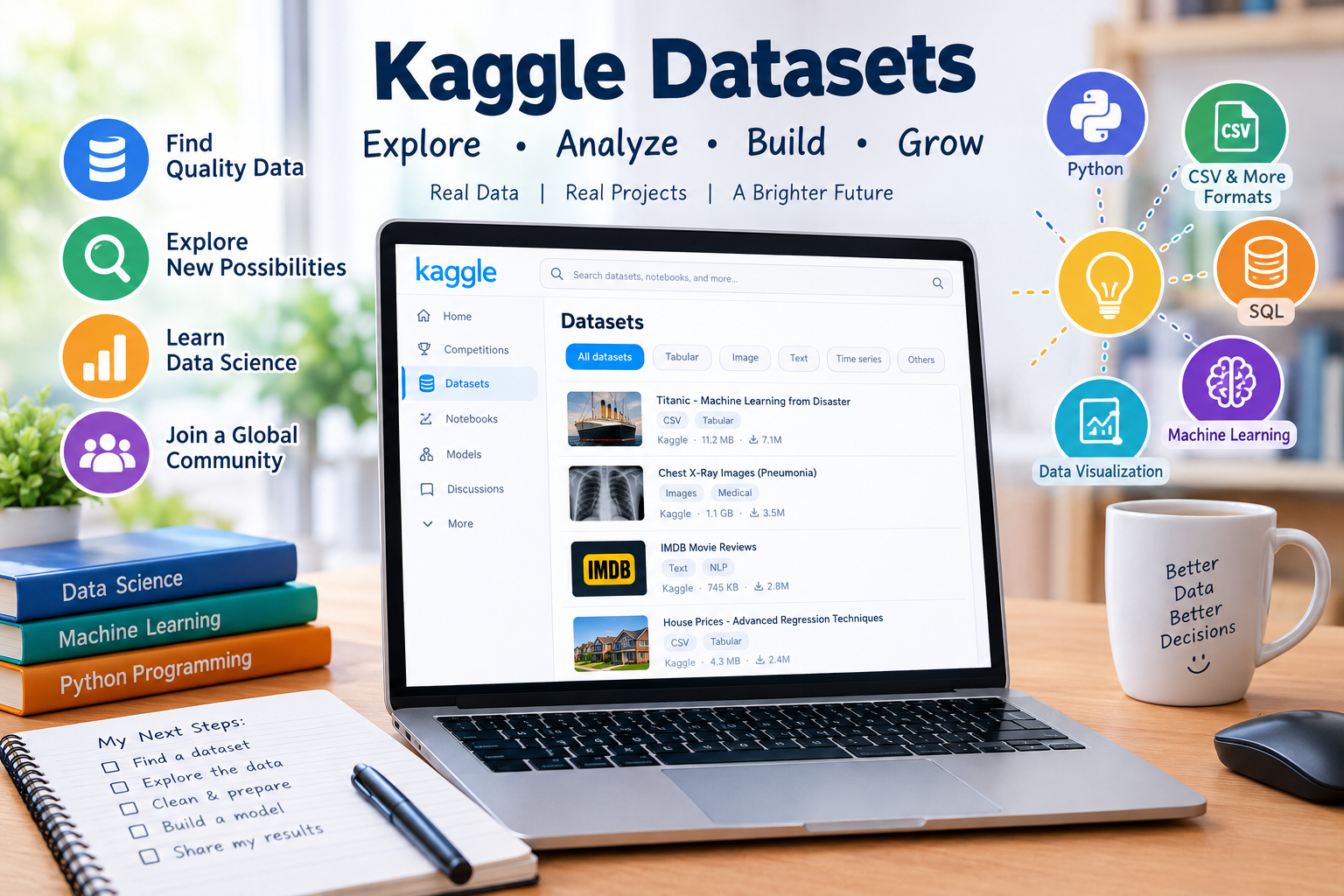

kaggle datasets have become an important resource for students, researchers, data analysts, programmers, and machine learning learners who need real-world data for their projects. Data is at the heart of modern technology. From predicting customer behavior to studying climate patterns, training artificial intelligence systems, and understanding social trends, good data can make a big difference.
For beginners, finding useful data can sometimes feel like searching for a needle in a haystack. Thankfully, Kaggle provides a large community-driven platform where people can discover, explore, analyze, and share datasets. Kaggle describes its Datasets section as a place to “explore, analyze, and share quality data,” and it supports several common data formats, including CSV, JSON, SQLite, archives, and BigQuery datasets.
The best part is that learners don’t need to build every dataset from scratch. They can find data related to technology, business, sports, education, science, health, entertainment, finance, geography, and many other subjects. With the right approach, a simple dataset can become the starting point for a useful data science project.
What Are Kaggle Datasets?
Kaggle datasets are collections of data published on the Kaggle platform. They can contain numbers, text, images, records, tables, databases, or other types of information. Some datasets are created by individual users, while others come from organizations, research projects, public sources, or other online repositories.
A dataset might be very simple, such as a spreadsheet containing information about products. Another could contain thousands or millions of records for advanced machine learning research.
For example, a dataset could include information such as:
- Customer names or anonymous customer IDs
- Product prices
- Sales numbers
- Weather measurements
- Movie ratings
- Sports statistics
- Images
- Text documents
- Geographic information
- School or education data
- Financial information
- Machine learning training examples
The purpose of the data depends on the dataset. Some datasets are designed for learning, while others may support research, visualization, experimentation, or machine learning.
Kaggle also allows users to create private datasets for themselves or collaborators and public datasets that can be viewed by the wider community.
Why Kaggle Datasets Are Important for Data Science
Data science is not only about writing Python code or creating charts. The quality and usefulness of the data are equally important.
Imagine you’re learning how to build a model that predicts house prices. You need information about houses, such as size, location, number of rooms, age, and price. Without suitable data, your model has nothing meaningful to learn from.
This is where kaggle datasets can help.
They provide opportunities to:
- Practice data cleaning
- Learn exploratory data analysis
- Build machine learning models
- Test statistical ideas
- Create charts and dashboards
- Learn Python or R
- Develop portfolio projects
- Understand real-world data problems
- Practice SQL
- Explore artificial intelligence techniques
In other words, datasets turn abstract lessons into practical exercises. Instead of only reading about machine learning, a learner can download or connect to actual data and start experimenting.
That’s a big step forward for someone who wants to gain practical experience.
Popular Types of Kaggle Datasets
One of the reasons Kaggle is useful is the variety of data available. You can search for datasets based on subject, file type, tags, popularity, and other filters.
Kaggle’s official documentation identifies CSV as one of its most common and well-supported formats for tabular data. It also supports JSON, SQLite, ZIP archives, and BigQuery datasets.
Tabular Datasets
Tabular datasets look similar to spreadsheets. They contain rows and columns.
For example:
| Student | Age | Subject | Score |
|---|---|---|---|
| Ali | 16 | Mathematics | 82 |
| Sara | 17 | Science | 91 |
| Ahmed | 16 | English | 78 |
This type of data is excellent for beginners because it is easy to understand.
Image Datasets
Image datasets contain photographs, illustrations, scans, or other visual files. They’re often used for computer vision projects.
A learner might use images to practice:
- Image classification
- Object detection
- Facial recognition research
- Medical image analysis
- Handwriting recognition
- Image segmentation
Kaggle notes that ZIP archives can be useful for image collections and other datasets containing many files or folders.
Text Datasets
Text datasets contain written language. They can be useful for natural language processing, sentiment analysis, classification, and other language-related projects.
For instance, a text dataset could contain customer reviews labeled as positive or negative.
JSON Datasets
JSON is useful when data has a more complex or nested structure. Kaggle provides an interactive preview for JSON data, allowing users to explore different levels of the data structure.
SQLite Databases
SQLite datasets can contain multiple tables. This can make them useful for projects where the information is divided into related sections.
For example, a database might contain separate tables for:
- Customers
- Products
- Orders
- Payments
This structure also gives learners an opportunity to practice SQL.
BigQuery Datasets
For very large datasets, Kaggle supports special BigQuery datasets. These datasets are hosted on Google’s servers rather than being downloaded like ordinary files. Users can interact with them through SQL-based queries and related tools.
How to Search for Kaggle Datasets
Finding a dataset is often the first practical challenge.
Kaggle provides a dedicated Datasets section with search and filtering options. Its documentation explains that users can sort and filter datasets using factors such as votes, recency, updates, usability, size, file type, licenses, and tags.
Suppose you’re interested in football data. You could search for terms such as:
- Football statistics
- Soccer players
- Football matches
- Sports analytics
- Player performance
If you’re interested in technology, you might search for:
- Artificial intelligence
- Machine learning
- Cybersecurity
- Programming
- Technology trends
Don’t worry if the first search doesn’t produce the perfect result. Try different words. Search is often a process of discovery.
Using Tags
Tags are particularly helpful because they describe the subject, data type, or techniques related to a dataset. Kaggle gives examples such as “classification,” “text data,” “animals,” and “crime.”
A good search strategy might be:
Topic + data type + project goal
For example:
movies + ratings + recommendation
or:
customer + sales + prediction
This can narrow down your search considerably.
How to Choose a Useful Dataset
Not every dataset is suitable for every project. A dataset might look interesting but still be difficult to use.
Before starting your analysis, consider several important factors.
Check the Dataset Description
Read the description carefully. A good description should explain what the data represents and provide enough background for users to understand it.
Check the File Type
Make sure your software can work with the format.
CSV is usually straightforward for beginners. JSON can require more structured data handling, while databases may require SQL knowledge.
Check the Size
A huge dataset may sound exciting, but bigger isn’t always better.
If you’re a beginner using an ordinary computer, starting with a smaller dataset can save time and frustration.
Check the Columns
Look at the available fields.
Ask yourself:
- What does each column mean?
- Which column could be the target?
- Are important values missing?
- Are the variables useful for my project?
- Is there enough information to answer my question?
Check the License
This is extremely important.
A dataset’s availability doesn’t automatically mean you can use it for every purpose. Kaggle provides license options for public datasets, and dataset publishers are responsible for specifying applicable licensing information.
Always read the dataset’s license and description before using data in a public, commercial, academic, or published project.
Understanding Data Quality
Here’s a golden rule: never assume that a dataset is perfect.
Real-world data can contain errors, missing values, duplicates, unusual entries, incorrect labels, or inconsistent formatting.
For example, imagine a dataset containing:
| Name | Age | Country |
|---|---|---|
| Ali | 21 | Pakistan |
| Sara | 22 | Pakistan |
| Ahmed | -5 | Pakistan |
| John | 34 | USA |
An age of -5 is clearly suspicious.
A good data scientist doesn’t simply load the data and immediately train a model. First, they inspect it.
Common data quality problems include:
- Missing values
- Duplicate records
- Incorrect data types
- Spelling differences
- Extreme values
- Wrong labels
- Inconsistent units
- Outdated information
Cleaning data may not sound glamorous, but it’s one of the most important parts of data analysis.
Using Kaggle Datasets With Python
Python is one of the most popular programming languages for data science. Libraries such as pandas, NumPy, Matplotlib, and scikit-learn make it possible to analyze datasets and create machine learning projects.
A simple CSV workflow might look like this:
import pandas as pd

data = pd.read_csv("dataset.csv")

print(data.head())
print(data.info())
print(data.describe())
This basic process allows you to inspect the first rows, understand the data structure, and view statistical information.
After that, you might clean the data, create charts, identify relationships, and build a machine learning model.
For example, pandas can help you:
- Filter rows
- Select columns
- Remove duplicates
- Handle missing values
- Group information
- Calculate statistics
- Merge datasets
- Sort records
The important thing isn’t to memorize every command. Learn what you want to discover first, then find the appropriate tool to answer the question.
Using Kaggle Datasets With Kaggle Notebooks
Kaggle isn’t only a place for storing datasets. Its platform also provides Notebooks where users can write and execute data science code.
Kaggle’s documentation describes Notebooks as an interactive coding and execution environment and explains that public Notebooks associated with datasets can help users understand how specific data can be explored.
This creates a useful learning cycle:
Find data → Explore data → Write code → Analyze results → Improve the project
Even better, learners can study public notebooks created by other users. A public Notebook can provide ideas about data cleaning, visualization, feature engineering, and modeling.
Kaggle also allows users to fork public Notebooks, meaning they can create their own copy and experiment with changes.
That’s a great way to learn by doing.
Downloading and Accessing Kaggle Datasets
Users can work with datasets through Kaggle’s website and programmatic tools. Kaggle’s current API documentation describes both the Kaggle CLI and kagglehub as tools for interacting with Kaggle programmatically.
For a beginner, downloading a dataset manually may be the easiest starting point.
A simple workflow is:
- Open the dataset page.
- Read the description.
- Review the files.
- Check the license.
- Examine the columns.
- Download the data if appropriate.
- Open it with your chosen tool.
- Begin exploring.
More advanced users can automate dataset access through Kaggle’s tools and APIs. This becomes particularly useful when building repeatable data workflows.
Creating Your Own Kaggle Dataset
You don’t have to be only a consumer of data. You can also become a dataset creator.
Kaggle provides a process for creating datasets from sources such as local files, remote files, GitHub repositories, and Notebook output files.
A useful dataset should be easy for others to understand.
When creating one, consider including:
- A clear title
- A useful subtitle
- A detailed description
- Appropriate tags
- Column descriptions
- A suitable license
- Clean and organized files
- A Notebook showing how to use the data
Kaggle specifically recommends adding descriptions, tags, subtitles, cover images, and public Notebooks to make datasets more useful to the community.
A well-documented dataset can become more valuable than a collection of files with no explanation.
Kaggle Datasets and Machine Learning Projects
Machine learning needs data to learn patterns.
Suppose you’re building a model that predicts whether a customer might purchase a product. You could have variables such as:
| Feature | Example |
|---|---|
| Age | 28 |
| Previous Purchases | 5 |
| Average Order | $42 |
| Website Visits | 12 |
| Purchased | Yes |
The first columns can be used as features, while “Purchased” might be the target.
Before training a model, however, you should understand the data.
A typical machine learning workflow includes:
- Collecting or finding data
- Understanding the problem
- Cleaning the data
- Exploring patterns
- Preparing features
- Splitting the data
- Training a model
- Evaluating performance
- Improving the approach
- Documenting the results
This is why kaggle datasets are useful for learners: they allow people to practice the entire process rather than focusing only on the final model.
Common Mistakes Beginners Should Avoid
Starting a data project is exciting, but it’s easy to make avoidable mistakes.
Choosing Data Without a Question
Don’t select a dataset simply because it looks large or impressive.
Start with a question.
For example:
Can I predict house prices using property characteristics?
Now you have a purpose.
Ignoring the Dataset Description
The description may contain important information about where the data came from, what its columns mean, and how it should be used.
Skipping this information can lead to incorrect conclusions.
Training a Model Too Quickly
Some beginners immediately load the data and train a machine learning model.
Slow down.
Explore first.
A few minutes of data inspection can prevent hours of confusion later.
Ignoring Missing Values
Missing information can affect analysis and model performance. You should identify missing values and decide how to handle them based on the project.
Assuming High Accuracy Means Success
A model can produce impressive-looking accuracy while still being unsuitable for real-world use. Always understand the evaluation method and the problem you’re trying to solve.
How Kaggle Datasets Can Help Students
Students can use datasets to turn classroom concepts into practical projects.
For example, a student studying statistics might analyze population data. A computer science student could build a classification model. A business student might analyze sales information.
Possible student projects include:
- Movie rating analysis
- Sports performance analysis
- Customer behavior research
- Weather pattern visualization
- Student performance analysis
- Product price prediction
- Social media text analysis
- Image classification
- Basic recommendation systems
These projects can also become portfolio examples when they are properly documented.
The key is to explain what you did, why you did it, what you discovered, and what limitations remain.
Kaggle Datasets for Building a Data Science Portfolio
A portfolio can demonstrate practical skills to teachers, employers, clients, or collaborators.
Instead of saying, “I know Python,” a portfolio project can demonstrate how you actually used Python.
A strong project might include:
- Project objective
- Dataset source
- Data description
- Cleaning process
- Exploratory analysis
- Visualizations
- Methodology
- Model results
- Limitations
- Final conclusions
Kaggle’s combination of datasets and Notebooks makes it possible to show both the data and the analysis process in one ecosystem.
That’s valuable because good data work isn’t only about getting an answer. It’s also about showing how you reached that answer.
Ethical and Responsible Use of Data
Data science comes with responsibility.
Just because information is available doesn’t mean it should be used carelessly. Privacy, licensing, fairness, and context matter.
Before using a dataset, ask:
- Where did the data come from?
- Is personal information included?
- What does the license allow?
- Could the data be biased?
- Is the information outdated?
- Could the analysis harm or misrepresent a group?
- Am I making claims that the data cannot support?
For sensitive topics, researchers should take extra care.
A responsible data scientist doesn’t only ask, “Can I use this data?”
They also ask, “Should I use it this way?”
A Simple Kaggle Dataset Workflow for Beginners
If you’re completely new to data science, don’t make the first project too complicated.
Try this simple process:
Choose a topic → Find a dataset → Read the description → Check the license → Inspect the files → Clean the data → Create charts → Ask questions → Find patterns → Document the results
For example, suppose you find a movie dataset.
You could ask:
- Which movies have the highest ratings?
- How do ratings vary by genre?
- Does release year affect ratings?
- Which genres appear most often?
- Is there a relationship between popularity and rating?
You don’t need an advanced neural network to learn something useful.
Sometimes a clear question and a simple chart can teach you more than a complicated model.
Tips for Getting Better Results
To make your work more professional, follow a few practical habits.
Keep Your Work Organized
Use clear filenames and folders. Separate raw data from cleaned data when appropriate.
Document Your Decisions
If you removed certain rows, explain why.
If you filled missing values, explain how.
If you changed a column, record the reason.
Use Visualizations
Charts can reveal patterns that aren’t obvious in a table.
Useful visualizations include:
- Bar charts
- Line charts
- Histograms
- Scatter plots
- Box plots
- Heatmaps
Compare Results
Don’t stop at the first result. Try different approaches and understand why results change.
Be Honest About Limitations
Every dataset has limitations. A professional project acknowledges them rather than pretending the results are perfect.
What Makes a Kaggle Dataset Valuable?
A valuable dataset isn’t necessarily the biggest one.
A useful dataset often has:
| Quality | Why It Matters |
|---|---|
| Clear description | Helps users understand the data |
| Good organization | Makes analysis easier |
| Appropriate license | Clarifies permitted use |
| Useful variables | Supports meaningful questions |
| Clean formatting | Reduces unnecessary work |
| Metadata | Explains columns and fields |
| Example Notebook | Helps beginners get started |
| Reliable source | Improves confidence in the data |
| Regular updates | Can keep changing information useful |
Kaggle’s documentation also highlights metadata and column-level information as ways to make tabular datasets easier to understand.
The Future of Data Learning With Kaggle
The demand for data skills continues to grow alongside artificial intelligence, automation, analytics, and machine learning.
Platforms such as Kaggle provide a practical environment where learners can move from theory to experimentation.
A person might begin by opening a simple CSV file. Later, they could learn Python, statistics, SQL, visualization, machine learning, and eventually more advanced artificial intelligence techniques.
That journey doesn’t happen overnight.
But every project adds experience.
Kaggle’s ecosystem now includes not only datasets and Notebooks but also models, competitions, organizations, packages, and benchmarks.
This broader ecosystem means learners can explore different parts of modern data science as their skills grow.
Final Thoughts on Kaggle Datasets
kaggle datasets provide a practical way to discover, study, analyze, and share data. Whether you’re a complete beginner, a student working on an assignment, a programmer building a machine learning project, or an experienced analyst exploring new information, datasets can provide the raw material for meaningful work.
The most important lesson is simple: don’t treat a dataset as just a file.
Treat it as a source of questions.
Read the documentation. Check the license. Understand the columns. Look for missing information. Explore patterns. Create visualizations. Test your ideas. Explain your methods. And, above all, be honest about what the data can and cannot tell you.
Kaggle’s official resources show that the platform supports many data formats, dataset discovery tools, collaborative features, Notebooks, and programmatic access, giving users several ways to work with data.
With patience and practice, even a simple project can become a valuable learning experience. So, if you’re ready to take your first step into practical data science, exploring kaggle datasets can be an excellent place to begin.
Kaggle Datasets: Advanced Uses, Research Ideas, and Practical Tips
Kaggle Datasets for Real-World Practice
kaggle datasets aren’t only useful for classroom exercises. They can also help learners understand how data is handled in real projects. Real-world datasets are often messy, incomplete, and sometimes confusing. That’s actually a good thing for learning because professional data rarely arrives in a perfectly organized spreadsheet.
When working with real data, you may discover missing values, duplicate rows, unusual numbers, spelling differences, or columns that don’t have clear names. Instead of seeing these problems as obstacles, think of them as practical lessons.
A strong learning project can follow this simple process:
- Understand the problem
- Find suitable data
- Study the dataset documentation
- Inspect the available variables
- Clean the data
- Explore patterns
- Build useful visualizations
- Test an idea
- Explain the findings
- Record limitations
This approach helps learners develop habits that are useful beyond Kaggle.
Exploring Kaggle Datasets With Data Visualization
Data visualization turns numbers into pictures that are easier to understand. A large table may contain thousands of records, but a well-designed chart can reveal an important pattern within seconds.
For example, imagine a dataset containing monthly sales information. A line chart might show that sales increase during certain months. A bar chart could compare different product categories, while a scatter plot might show a relationship between advertising spending and sales.
Common visualization choices include:
| Visualization | Useful For |
|---|---|
| Bar chart | Comparing categories |
| Line chart | Showing changes over time |
| Histogram | Understanding distributions |
| Scatter plot | Studying relationships |
| Box plot | Finding spread and unusual values |
| Heatmap | Exploring correlations |
| Pie chart | Showing simple proportions |
However, don’t create charts simply because you can. Every visualization should answer a question.
For example:
Question: Which category has the highest sales?
Useful chart: A bar chart comparing categories.
That’s much better than producing ten unrelated charts and hoping something interesting appears.
Finding Patterns in Kaggle Datasets
Exploratory data analysis is one of the most important stages of a data project.
When exploring kaggle datasets, you can look for:
- Trends
- Relationships
- Differences
- Outliers
- Repeated patterns
- Missing information
- Unexpected results
Suppose a dataset contains information about house prices. You might discover that larger houses generally cost more. But perhaps location has an even stronger relationship with price.
That observation could lead to a better research question.
Data analysis is often like detective work. You begin with clues, investigate them, and gradually develop a clearer picture.
Kaggle Datasets and Data Cleaning
Data cleaning deserves special attention because poor-quality data can lead to misleading results.
Imagine a dataset containing country names like:
- United States
- USA
- U.S.A.
- US
A computer may treat these as four separate categories even though they refer to the same country.
Cleaning can make these values consistent.
Other examples include:
- Changing text to lowercase
- Removing unnecessary spaces
- Converting dates into a standard format
- Correcting obvious formatting problems
- Removing duplicate records
- Handling missing values
- Converting numbers stored as text
The exact cleaning method depends on the dataset.
Don’t blindly delete unusual values, either. An unusual value isn’t always an error. Sometimes it represents an important event.
Handling Missing Information
Missing values are common in real datasets.
A blank cell might mean:
- The information wasn’t collected
- The person didn’t provide it
- The value wasn’t applicable
- The information was lost
- The field was accidentally left empty
There isn’t one solution that works for every situation.
Depending on the project, you might:
- Remove rows
- Remove a column
- Fill values using a statistical method
- Use a special category
- Investigate the original source
Before making a decision, understand why the values are missing.
This is one area where thoughtful reasoning matters more than simply knowing a programming command.
Kaggle Datasets and SQL Learning
Some datasets can help users practice SQL.
SQL is a language used to work with structured databases. Instead of examining every record manually, users can ask the database questions.
For example:
SELECT category, COUNT(*)
FROM products
GROUP BY category;
This query can group products by category and count the records in each group.
SQL practice can be especially useful for people interested in:
- Data analytics
- Business intelligence
- Database administration
- Software development
- Data engineering
A learner can start with simple queries and gradually move toward joins, subqueries, aggregation, and more advanced database operations.
Kaggle Datasets and Artificial Intelligence
Artificial intelligence systems often depend on data.
A machine learning system learns patterns from examples. Therefore, the quality, quantity, and suitability of training data can have a major effect on the project.
For example, an image dataset may be used to teach a model to distinguish between different objects. A text dataset might help train a model to classify documents.
But more data isn’t automatically better.
If the data contains strong bias, incorrect labels, or poor-quality examples, a model can learn those problems too.
That’s why responsible AI development begins with careful data understanding.
Understanding Bias in Kaggle Datasets
Bias can appear in many forms.
A dataset may represent one group more heavily than another. Some categories may have many examples, while others have very few.
For example, suppose a facial image dataset contains far more images from one demographic group than another. A model trained on that dataset may perform differently across groups.
This doesn’t necessarily mean the dataset was created with bad intentions. Sampling limitations, availability, and collection methods can all influence representation.
When using kaggle datasets, researchers should ask:
- Who is represented?
- Who might be missing?
- How was the information collected?
- Is the sample large enough?
- Are some groups overrepresented?
- Could the results be misleading?
These questions help create more responsible analysis.
Using Kaggle Datasets for Academic Research
Students and researchers can use public datasets to explore research questions, test ideas, and demonstrate analytical methods.
For example, a student could investigate:
“Does weather information have a relationship with bicycle usage?”
Another project could ask:
“What factors are associated with customer churn?”
The important part is to avoid making claims that go beyond the evidence.
If two variables are correlated, that doesn’t automatically prove that one caused the other.
For academic work, always describe the dataset source, methodology, assumptions, and limitations.
Building a Kaggle Dataset Project Step by Step
A beginner-friendly project can be divided into stages.
Choose a Question
Start with something specific.
Instead of:
“I want to study cars.”
Try:
“What factors are associated with used-car prices?”
The second question gives you a clearer direction.
Find Relevant Data
Search Kaggle for datasets containing the variables you need.
Check the description, size, file format, license, and update information.
Understand the Columns
Create a simple data dictionary.
For example:
| Column | Meaning |
|---|---|
| Price | Selling price |
| Year | Manufacturing year |
| Mileage | Distance traveled |
| Fuel | Fuel type |
| Brand | Vehicle manufacturer |
This makes the dataset easier to understand.
Clean the Data
Check missing values, duplicates, incorrect formats, and unusual records.
Explore the Data
Use statistics and visualizations to understand patterns.
Build the Analysis
Now answer the original question.
Explain the Results
Don’t simply show numbers. Explain what they mean in simple language.
Discuss Limitations
Mention what the dataset cannot prove.
This final step makes a project more honest and professional.
How to Read Other People’s Kaggle Projects
One of the most useful learning methods is studying the work of other users.
When reading a public project, don’t just copy the code.
Instead, ask:
- Why did the author choose this dataset?
- Why was this chart selected?
- How were missing values handled?
- Why was a particular model used?
- How was performance measured?
- What limitations were mentioned?
Then try to reproduce a small part yourself.
After that, change something.
Maybe use a different chart. Try another model. Add a new variable. Ask a new question.
That’s how passive reading becomes active learning.
Kaggle Datasets and Portfolio Development
A strong portfolio doesn’t need dozens of projects.
A few carefully developed projects can demonstrate a wide range of skills.
For example, you might create one project focused on:
Data Cleaning
Another on:
Data Visualization
Another on:
Machine Learning
And another on:
SQL and Database Analysis
Together, these projects can demonstrate practical experience.
When presenting a project, explain:
- The problem
- The data source
- The approach
- The important findings
- The tools used
- The limitations
- What you learned
Clear communication matters just as much as technical ability.
Tips for Writing Better Dataset Descriptions
If you’re publishing your own dataset, remember that other people may know nothing about it.
A good description should answer basic questions.
What is this dataset?
Explain its purpose.
Where did it come from?
Identify the source when appropriate.
What does each column mean?
Provide useful field descriptions.
What can people do with it?
Give examples of possible applications.
Are there limitations?
Mention important restrictions or known issues.
What is the license?
Make the terms of use clear.
Good documentation saves other users time and increases confidence in the dataset.
Common Questions About Kaggle Datasets
Are Kaggle datasets useful for beginners?
Yes. Many datasets are suitable for beginners, particularly smaller tabular datasets. Starting with simple data can help new learners understand the complete analysis process.
Can Kaggle datasets be used for machine learning?
Yes. Many datasets can be used for machine learning experiments, provided their contents, licensing, and intended use are suitable for the project.
Do all Kaggle datasets have the same license?
No. Dataset licensing can vary. Users should check the individual dataset’s license and terms before using it.
Can I create my own dataset?
Yes. Kaggle provides tools for creating and publishing datasets, including options for uploading files and documenting the data.
Can I use Python with Kaggle datasets?
Yes. Python is widely used for data analysis and machine learning, and Kaggle provides Notebook environments where users can work with data.
Are large datasets always better?
No. A smaller, well-organized dataset can be much more useful than a huge dataset that doesn’t answer your research question.
A Practical Checklist Before Starting
Before beginning a new project with kaggle datasets, use this checklist:
- I understand the project question.
- I have selected a relevant dataset.
- I have read the dataset description.
- I have checked the license.
- I understand the important columns.
- I have checked the file format.
- I have inspected missing values.
- I have checked for duplicates.
- I have explored the data.
- I have selected suitable visualizations.
- I understand the limitations.
- I can explain my findings clearly.
This simple checklist can prevent many beginner mistakes.
Future Opportunities With Kaggle Datasets
As data science and artificial intelligence continue to develop, practical data skills are likely to remain useful across many fields.
People can use dataset projects to explore careers such as:
- Data analyst
- Data scientist
- Machine learning engineer
- Business analyst
- Data engineer
- AI researcher
- Research assistant
- Database specialist
Of course, completing a few Kaggle projects alone doesn’t guarantee a career. Professional development requires broader learning, including mathematics, programming, communication, statistics, and domain knowledge.
Still, practical projects can provide valuable experience.
Final Thoughts
Learning data science doesn’t have to begin with complicated mathematics or advanced artificial intelligence. Sometimes, it begins with a simple table and a good question.
kaggle datasets give learners a practical way to explore real information, practice programming, understand data quality, create visualizations, and develop machine learning projects. More importantly, they encourage curiosity.
Don’t be afraid of messy data. Don’t worry if your first project isn’t perfect. Everyone starts somewhere.
Choose a manageable dataset, investigate it carefully, document your work, and keep improving. Little by little, those small experiments can build genuine data skills.
In the end, kaggle datasets are more than downloadable files. They’re opportunities to ask better questions, test ideas, learn from evidence, and turn raw information into useful knowledge.
Discover more insightful articles, helpful updates, and engaging stories on Leo ART New, and stay connected with the latest information. For more details, Contact Us.