
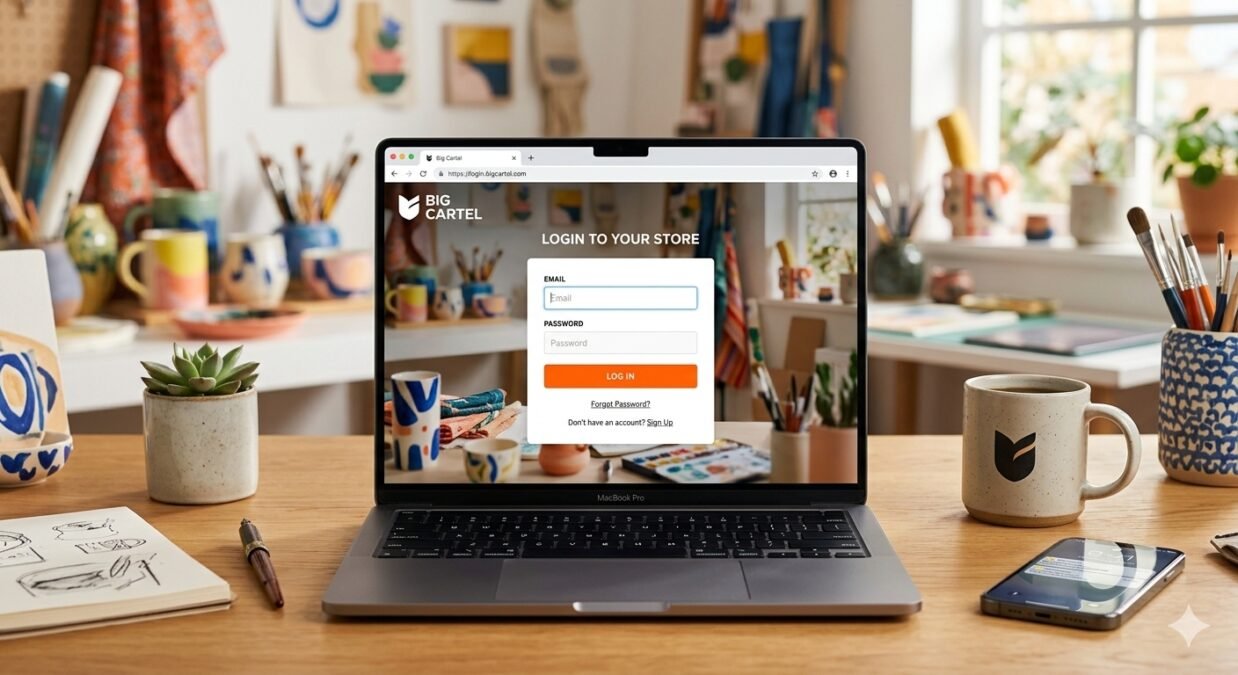

big cartel login is the gateway sellers use to access their Big Cartel store administration area, where they can manage products, orders, payments, shop settings, and other important ecommerce activities. Whether you’re a new seller trying to access your dashboard for the first time or an experienced store owner who has forgotten a password, understanding the login process can save time and prevent unnecessary frustration.
Big Cartel currently allows sellers to log in through email and password, or through connected Google or Apple accounts on supported platforms. The official login process uses the shop URL along with account credentials when signing in with email and password.
For anyone searching for big cartel login, the most important point is to use the official Big Cartel login page rather than an unfamiliar website. The official instructions direct sellers to my.bigcartel.com/login for web login.
This guide explains the login process in simple language, discusses common problems, explains password recovery, and shares practical security tips. So, whether you’re logging in from a desktop, iPhone, or Android device, let’s get started.
What Is big cartel login?
big cartel login refers to the process of accessing the administrative account associated with a Big Cartel online store.
Big Cartel is an ecommerce platform created around independent sellers, artists, musicians, makers, and small businesses. Once a seller creates a store, the account provides access to a management area where important store activities can be handled.
After a successful login, sellers can generally work with areas such as:
- Products
- Orders
- Store settings
- Customer information
- Payments
- Shipping
- Analytics
- Account settings
- Subscription and billing
- Store design
- Marketing tools
Big Cartel’s Help Center currently includes dedicated sections for products, payments, orders, shipping, design, account settings, discounts, security, and integrations.
In other words, the login isn’t simply a way to visit a public storefront. It’s the entry point to the private administration side of the business.
How to Access big cartel login
The standard web login process is straightforward.
According to Big Cartel’s current official instructions, sellers using email and password should go to the Big Cartel login page and provide their shop URL and password.
The basic process is:
- Open a web browser.
- Visit the official Big Cartel login page.
- Enter your shop URL.
- Enter your account password.
- Select the login option.
- Wait for the store administration area to load.
Your shop URL may look something like:
example.bigcartel.com
Big Cartel says users can enter either the shop name portion or the complete shop URL in the Shop URL field.
That’s pretty handy because sellers don’t necessarily need to remember every part of the address separately.
Finding Your Big Cartel Shop URL
One of the most common sources of confusion during big cartel login is the shop URL.
Your shop URL identifies your Big Cartel store. According to Big Cartel, it can be found in the Shop domain section of your administration settings.
For example, a store might have a web address similar to:
mystore.bigcartel.com
The actual address will depend on the store.
If you’ve changed your shop URL in the past, remember that the updated URL is the one associated with logging in. Big Cartel’s FAQ explains that changing the shop URL means the new URL becomes the one used for login.
If you’ve completely forgotten the shop URL, Big Cartel’s official login guide says you can contact support from the email address associated with the account for help locating it.
big cartel login With Email and Password
The traditional method of big cartel login uses your shop URL and password.
This method is useful when you created the store with an email address and password.
The official process is:
Open the login page → enter your shop URL → enter your password → log in.
It’s worth remembering that your shop email and shop URL aren’t necessarily the same thing.
Your email address identifies the account and receives important account communications, while the shop URL identifies your store.
Big Cartel explains that the shop email is particularly important because it is used for important notifications and helps establish ownership of the shop.
big cartel login With Google or Apple
Big Cartel now supports social login options, making account access more convenient.
According to the company’s current login documentation, sellers can use Google or Apple accounts instead of entering the shop URL and password. Google login is supported on Android, while Google or Apple login is available on the web and iOS app.
The process is simple:
- Open the Big Cartel login page.
- Choose the Google or Apple login option.
- Select the connected account.
- Complete the authentication process if requested.
- Access your store.
Big Cartel notes that only one Big Cartel account can be connected to a particular Google or Apple login.
This means sellers should pay attention to which account they connect.
Logging In for the First Time
The first big cartel login can feel slightly confusing because new sellers may not immediately know their shop URL.
Big Cartel explains that when an account is created using an email address and password, the system automatically generates a shop URL based on the email address. The seller can later change the shop URL through Shop settings.
After creating an account, it’s a good idea to record the following information somewhere secure:
| Information | Why It Matters |
|---|---|
| Shop URL | Used when signing in with email and password |
| Account email | Receives important account messages |
| Password | Protects access to the store |
| Backup phone | Can help with account recovery |
| Google or Apple account | Provides an alternative login method |
| Billing information | Important for paid plans |
Keeping these details organized can make future account access much easier.
What You Can Do After big cartel login
Once you’ve successfully completed big cartel login, the administration area becomes the main control center for your online store.
Depending on your plan and account configuration, you can manage different parts of the business.
Product Management
You can work with product listings, descriptions, prices, images, variations, and inventory.
Order Management
Orders can be reviewed and managed through the administration system.
Store Settings
You can update important information about your shop, including certain domain and store settings.
Account Settings
Account information, passwords, phone numbers, and related details can be managed from the account area.
Plans and Billing
Big Cartel provides account settings for managing subscriptions and billing information.
Marketing
Depending on the plan, sellers can access different promotional and marketing tools.
So, the big cartel login isn’t just an entry screen. It’s the doorway to managing the business behind the storefront.
What to Do If You Forgot Your Password
Forgetting a password happens. There’s no need to panic.
Big Cartel provides an official password-recovery process. Its password recovery page asks for the shop URL and the email address or phone number connected to the shop, then provides instructions for creating a new password.
The general process is:
- Open the official Big Cartel password recovery page.
- Enter your shop URL.
- Enter the connected email address or phone number.
- Continue with the recovery process.
- Check your email or phone for the required instructions.
- Create a new secure password.
If you don’t receive the message immediately, check your spam or junk folder.
Also, make sure you’re using the email address actually associated with the Big Cartel account.
Using a Backup Phone for Account Recovery
One useful account feature is adding a phone number.
Big Cartel says that adding a phone number gives sellers another way to regain access if they forget their password or lose access to their email. A secure login code can be sent by text when needed.
This can be especially useful because email access isn’t always guaranteed.
For example, someone might:
- Lose access to an old email account.
- Forget an email password.
- Change email providers.
- Accidentally delete important account messages.
A backup phone number provides another recovery route.
For better account protection, sellers should keep their recovery information accurate and up to date.
Why big cartel login May Not Work
Sometimes the login page doesn’t accept your information. Before assuming something is seriously wrong, check the basics.
Common causes can include:
- Incorrect shop URL
- Incorrect password
- Wrong email account
- Typing mistakes
- Browser problems
- Outdated browser
- Saved-password errors
- Temporary connection problems
- Using the wrong Google or Apple account
A simple typo can cause a login failure.
For example, if your store URL is:
myartshop.bigcartel.com
but you accidentally enter another shop name, the system won’t necessarily connect you with the correct store.
Take a breath, check each field carefully, and try again.
Troubleshooting big cartel login Problems
If big cartel login isn’t working, use a systematic approach instead of repeatedly entering random information.
Check the Shop URL
Make sure you’re entering the correct store address.
Check Your Password
Passwords are case-sensitive in many systems, so check capitalization and special characters.
Try Password Recovery
If you’re uncertain about the password, use the official recovery process rather than repeatedly guessing.
Check Your Email
If you requested a password reset, look in your inbox and spam folder.
Try Another Browser
If the page isn’t behaving correctly, try a different modern browser.
Check Your Internet Connection
A weak or unstable connection can sometimes prevent pages from loading properly.
Check Your Login Method
If you originally connected Google or Apple, make sure you’re selecting the correct account.
These simple steps resolve many ordinary login problems.
Keeping Your big cartel login Secure
Account security should never be treated as an afterthought.
Your Big Cartel account may contain important information about your products, orders, customers, and business settings. A compromised account could therefore create serious problems.
Consider these security practices:
- Use a unique password.
- Don’t share your password.
- Avoid simple passwords.
- Keep recovery information current.
- Use a trusted device.
- Don’t enter credentials on suspicious websites.
- Review active devices regularly.
- Be cautious with unexpected emails.
- Log out from shared computers.
Big Cartel’s security guidance includes tools for reviewing active devices and connected apps.
If you notice an unfamiliar session, investigate it rather than ignoring it.
Beware of Fake big cartel login Pages
Phishing is an important online security risk.
A fraudulent website may imitate a legitimate login page and attempt to trick users into entering their account details.
When searching for big cartel login, don’t automatically click the first unfamiliar result.
Instead, check the website address carefully.
The official Big Cartel login documentation directs users to the company’s official login location at my.bigcartel.com/login.
Be particularly cautious if a message asks you to:
- Verify your password urgently.
- Provide sensitive information.
- Click a suspicious link.
- Download an unknown file.
- Send your password by email.
- Provide payment information unexpectedly.
Big Cartel also advises users not to click links in suspicious emails until the message can be verified.
When in doubt, go directly to the official website instead of following an unexpected email link.
big cartel login on Mobile Devices
Many sellers manage their stores while away from a desktop computer.
Big Cartel provides mobile apps for iOS and Android, with features depending on the account and plan. Current Big Cartel plan information lists mobile apps among the features of paid plans.
Mobile access can be useful when sellers need to:
- Check orders
- Review products
- Manage their shop
- Monitor store activity
- Handle business tasks while traveling
- Sell in person where supported
For iPhone users, Google or Apple login can be available through supported Big Cartel login methods. On Android, Google login is available according to Big Cartel’s current login documentation.
Staying Logged In
Convenience is another part of the modern big cartel login experience.
Big Cartel says that after logging in, it can keep a seller signed in to the shop’s admin for up to 30 days. If the admin isn’t visited during that period, another login may be required.
The company also says it sends an email when a login is detected from a new device.
This can provide an additional security signal.
If you receive an unexpected new-device login notification, don’t simply ignore it. Review your account and consider changing your password if something doesn’t look right.
Changing Your Big Cartel Password
Changing your password periodically can be a sensible security practice, especially if you suspect that someone else may know it.
Big Cartel’s account instructions explain that password management is available through Account settings.
A strong password should ideally be:
- Unique
- Difficult to guess
- Long enough to resist common attacks
- Different from passwords used elsewhere
Avoid obvious combinations such as your name, store name, birthday, or simple number sequences.
And, please, don’t use the same password for your store and your email account. If one account becomes compromised, the other could be at risk too.
big cartel login and Account Ownership
Account ownership is an important issue for store owners.
Big Cartel states that the shop email address helps determine ownership of the shop, making it important to maintain access to that email account.
This is why sellers should avoid using an email address they don’t control.
If you operate a business, consider using a professional email address that your organization can maintain over the long term.
Keeping ownership information accurate can make account recovery and business administration easier.
How Login Connects With Store Management
The big cartel login process is only the first step.
After signing in, sellers can access a wider set of ecommerce tools. Big Cartel’s Help Center currently organizes its resources into categories such as:
- Set Up Your Shop
- Manage Products
- Accept Online Payments
- Manage Orders
- Ship Orders
- Design Your Shop
- Account Settings
- Discounts
- Dashboard
- Security
- Apps and Integrations
This shows how the login system connects to almost every major part of store management.
A seller might log in simply to check an order but then notice that inventory needs updating. Another day, they might sign in to change a product image or review sales information.
That’s why reliable account access matters so much.
Tips for a Smooth big cartel login Experience
A few habits can make future logins much easier.
Remember Your Shop URL
Keep your shop URL saved somewhere secure.
Keep Your Email Accessible
Your account email is important for notifications and recovery.
Add a Backup Phone
A phone number can provide another recovery option.
Use a Password Manager
A reputable password manager can help store complex passwords without requiring you to memorize every one.
Keep Your Browser Updated
Modern browsers generally provide better compatibility and security.
Avoid Shared Computers
If you must use a public or shared device, don’t save your login information and make sure you sign out afterward.
Getting Help With big cartel login
If you can’t resolve an account-access issue yourself, official support is the next step.
Big Cartel’s current contact page says account holders can log in and use the in-app messaging feature, while people without accounts can contact the company by email. Big Cartel also maintains a Help Center containing guides and frequently asked questions.
When contacting support, explain the problem clearly.
Useful information may include:
- Your shop name
- The problem you’re experiencing
- The login method you’re using
- Any error message
- Whether password recovery worked
- The device or browser involved
Never send your password to customer support.
big cartel login and Business Security
For online sellers, account security isn’t only about protecting a password.
It’s about protecting the business itself.
A store account can connect to products, orders, payments, customer communications, and other business systems. That makes account protection an important part of ecommerce management.
Big Cartel’s security resources include options for reviewing active devices and connected applications.
Sellers should periodically review these areas.
If an application is no longer needed, consider disconnecting it where appropriate.
Likewise, if a device is unfamiliar, investigate it.
A few minutes spent reviewing security settings can be worthwhile.
Frequently Asked Questions About big cartel login
Where do I find the official big cartel login page?
Big Cartel’s official login guide directs sellers to my.bigcartel.com/login.
What do I need to log in?
When using email and password, you’ll need your shop URL and password. Google or Apple login is also available through supported platforms.
What if I forget my password?
You can use Big Cartel’s password recovery page and provide your shop URL plus the email address or phone number connected to the shop.
Can I use Google to log in?
Yes. Big Cartel currently supports Google login on the web and Android, as well as Google login through supported iOS access.
Can I use Apple to log in?
Yes. Apple login is available on the web and iOS according to Big Cartel’s current login documentation.
Why do I need my shop URL?
The shop URL identifies the Big Cartel store you’re trying to access when using the email-and-password login method.
Can I change my shop URL?
Yes. Big Cartel says the shop URL can be changed through Shop settings, subject to availability.
Final Thoughts on big cartel login
big cartel login is a simple but essential part of managing a Big Cartel ecommerce store. Sellers can access their accounts using a shop URL and password or, where supported, connected Google or Apple accounts. If a password is forgotten, Big Cartel provides an official recovery process using the account’s connected email address or phone number.
The safest approach is to use the official login page, keep your account information updated, use a strong unique password, and remain alert to suspicious emails or websites. Big Cartel also provides account-security features such as backup phone recovery and active-device management.
Ultimately, big cartel login is more than simply entering a username and password. It’s the secure doorway to your online store, products, orders, settings, and business operations. By keeping your credentials protected and your recovery information current, you can make account access smoother while giving your online business a stronger foundation.
big cartel login: More Tips for Store Owners
Understanding big cartel login is only the first step toward managing an online store successfully. Once you’ve learned how to access your account, it’s useful to understand the dashboard, account security, troubleshooting methods, and the best habits for keeping your store organized.
For a small business owner, artist, or independent creator, a few simple practices can make daily store management much easier. So, let’s look at some additional information that can help both beginners and experienced sellers.
Managing Your Store After big cartel login
After completing big cartel login, the administration area becomes the central place for managing your shop. Big Cartel’s Help Center currently provides resources covering products, orders, payments, shipping, design, account settings, discounts, security, and integrations.
Depending on your account and plan, you may use the dashboard to:
- Add or edit products
- Check incoming orders
- Review store activity
- Update inventory
- Change shop information
- Manage discounts
- Work with shipping settings
- Review account information
- Connect supported services
- Adjust your storefront
Keeping these tasks organized can prevent small problems from becoming bigger ones.
Checking Your Account Information
After big cartel login, it’s a good idea to review your account information from time to time.
Important details can include:
- Account email address
- Phone number
- Shop URL
- Password
- Billing details
- Connected login methods
Your email address deserves special attention because it can be important for account communication and recovery. Big Cartel explains that the shop email is used for important notifications and can help establish ownership of the shop.
If you’ve stopped using the email address connected to your store, updating it can help you avoid future access problems.
Why Your Email Matters During big cartel login
Many users focus on their password when they think about big cartel login, but the account email is equally important.
For example, if you request a password reset, the recovery process may depend on having access to the email address or phone number associated with the store.
A good habit is to make sure:
- You can access the email account.
- The email address is spelled correctly.
- Your recovery information is current.
- You don’t share access credentials with unnecessary people.
If you operate a business with multiple people, account access should also be managed carefully.
What to Do When Your Password Doesn’t Work
Entering the wrong password is one of the most common login problems.
Before resetting it, check whether:
- Caps Lock is enabled.
- Your keyboard language has changed.
- A password manager filled an old password.
- You accidentally added a space.
- You’re using credentials for another account.
If you’re still unable to sign in, use the official Big Cartel password recovery process rather than repeatedly guessing.
Big Cartel’s password recovery page asks for information associated with the shop and provides instructions for resetting access.
Solving Shop URL Problems
The shop URL is another important part of big cartel login when you’re signing in with email and password.
Suppose your store was originally created with one shop name and you later changed the URL. You may accidentally continue entering the old address.
Big Cartel explains that the shop URL can be changed through the shop settings, subject to availability.
If you’re unsure about your current URL, check your store settings or contact Big Cartel support.
It’s a small detail, but getting the URL right can save a surprising amount of time.
big cartel login From a New Device
Logging into your account from a new computer or phone isn’t unusual. You might switch from a home computer to a laptop, or perhaps manage your store while traveling.
Big Cartel says it can send an email when a login is detected from a new device.
This can be useful from a security perspective.
If you recognize the login, there’s usually nothing unusual about it. However, an unexpected notification deserves attention.
For example, if you’re sitting at home and receive a new-device notification when you haven’t attempted to sign in, review your account activity and take appropriate security steps.
Using Strong Passwords
A strong password is one of the simplest ways to improve account security.
Your big cartel login password should ideally be:
- Long
- Unique
- Difficult to guess
- Different from passwords used elsewhere
Avoid using information that is easy to discover, such as:
- Your store name
- Your name
- Your birthday
- A simple number sequence
- The word “password”
A password manager can also help generate and store strong credentials.
And here’s an important point: don’t send your password to anyone through email or social media, even if someone claims to be helping you.
Protecting Your Store From Phishing
Phishing attacks attempt to trick people into revealing sensitive information.
A fake big cartel login page could look convincing at first glance. It might use familiar branding and ask you to enter your email or password.
Before entering information, check the website address.
Big Cartel’s official login documentation directs users to its official login location at my.bigcartel.com/login.
Be especially careful with messages containing phrases such as:
- “Your account will be deleted today.”
- “Verify your password immediately.”
- “Your payment failed—click here.”
- “Your store has been suspended.”
Urgency is a common trick used to encourage people to act without checking the source.
When something looks suspicious, don’t rush. Go directly to the official website instead.
big cartel login and Public Computers
Using a public computer to access your store isn’t ideal.
If you absolutely need to sign in from a shared device, take precautions.
Never:
- Save your password in the browser.
- Allow the browser to remember your account.
- Leave the store dashboard open.
- Walk away while you’re signed in.
When finished, sign out completely.
If possible, use your own trusted computer or smartphone for store management.
Keeping Your Store Organized
Once big cartel login becomes part of your daily routine, organization can make store management much easier.
Consider creating a simple routine.
Daily
Check:
- New orders
- Customer messages
- Inventory changes
- Important account notifications
Weekly
Review:
- Product performance
- Stock levels
- Store traffic
- Marketing activity
- Pending shipments
Monthly
Consider reviewing:
- Store design
- Product descriptions
- Pricing
- Best-selling products
- Slow-moving inventory
- Account security
- Connected apps
You don’t have to spend hours doing this. A simple routine can keep your business on track.
Managing Products Efficiently
A well-organized catalog makes the store easier to manage.
When creating products, use consistent naming conventions. For example, if you’re selling several versions of a product, make their names easy to understand.
Good product organization can help when you’re checking orders or inventory later.
For every product, consider reviewing:
- Title
- Description
- Price
- Photos
- Variants
- Inventory
- Shipping information
If a product changes significantly, update its listing rather than leaving outdated information online.
Handling Orders After big cartel login
Orders are one of the main reasons sellers access their dashboards.
After big cartel login, a seller may need to review new purchases, prepare products, arrange shipping, and communicate with customers.
A simple order workflow can look like this:
New order → Review details → Prepare product → Package order → Ship → Provide tracking when applicable → Update records
Following the same process each time can reduce mistakes.
Before shipping, double-check the customer’s:
- Name
- Shipping address
- Product
- Quantity
- Variations
- Order details
A few seconds of checking can prevent an unnecessary shipping problem.
Making Shipping Information Clear
Shipping is an important part of customer satisfaction.
Before launching a product, make sure customers can understand:
- Where you ship
- How much shipping costs
- Estimated delivery times
- Whether tracking is available
- How returns work
International orders may involve additional taxes, duties, or customs requirements. These vary by country, so sellers should research the rules relevant to their products and customers.
Clear information is better than vague promises.
Handling Customer Questions
Customers may contact you before or after purchasing.
A helpful response should be:
- Clear
- Polite
- Accurate
- Concise
- Professional
If you don’t know the answer, it’s better to say that you’ll check than to guess.
This is particularly important when discussing delivery dates, product availability, refunds, or payment issues.
Good customer service can strengthen a small business’s reputation over time.
Making the Most of Mobile Access
Mobile access can be useful when you’re away from your desk.
For example, you may be:
- At a craft market
- Traveling
- Attending an event
- Visiting a supplier
- Preparing a product shipment
Big Cartel provides mobile apps and supports mobile-related store management features, with availability depending on the plan and platform.
Before relying on mobile access during an important event, test the app and your account beforehand.
Nobody wants to discover a login problem five minutes before a busy market opens!
When to Contact Big Cartel Support
Sometimes troubleshooting isn’t enough.
If you’ve checked your credentials, attempted password recovery, and confirmed your shop information but still can’t access your account, contacting official support may be the right next step.
Big Cartel’s current contact information explains that account holders can use in-app messaging after signing in, while people without accounts can contact the company by email.
When contacting support, provide useful details without exposing sensitive credentials.
You can explain:
- Your store name
- The issue
- The device you’re using
- The browser or app
- Any error message
- What troubleshooting you’ve already tried
Never provide your password as part of a support request.
big cartel login Security Checklist
Here’s a quick checklist that every store owner can keep handy:
| Security Task | Recommended Action |
|---|---|
| Password | Use a strong, unique password |
| Keep your account email accessible | |
| Phone | Add a backup phone where appropriate |
| Login alerts | Pay attention to unfamiliar notifications |
| Devices | Review unfamiliar sessions |
| Browser | Keep it updated |
| Public computers | Avoid saving credentials |
| Phishing | Check website addresses carefully |
| Apps | Review connected applications |
| Recovery | Keep recovery details current |
These steps don’t require advanced technical knowledge. They’re simple habits that can make account management safer.
Creating a Reliable Login Routine
A reliable big cartel login routine doesn’t need to be complicated.
Before signing in, verify that you’re using the official Big Cartel website or official app.
After signing in:
- Check important notifications.
- Review urgent orders.
- Handle customer requests.
- Update products or inventory when necessary.
- Sign out when using a shared device.
Over time, this routine can become second nature.
Why Accurate Information Matters
Ecommerce businesses depend heavily on accurate information.
A wrong product price can create confusion. An incorrect inventory count can lead to an order you can’t fulfill. An outdated shipping policy can disappoint customers.
Therefore, after big cartel login, don’t only focus on sales.
Take time to keep the information customers see accurate and current.
Review your store regularly, especially after making changes to products, prices, shipping arrangements, or business policies.
Growing Your Online Business
As your business grows, your approach to store management may change.
A beginner might have only a few products and a small number of orders. Later, the same seller may manage dozens of products, regular customers, multiple marketing channels, and larger shipping requirements.
The important thing is to grow your processes alongside your business.
You may eventually need:
- Better inventory tracking
- More structured bookkeeping
- Additional marketing tools
- Improved photography
- Customer relationship management
- More detailed analytics
- Additional integrations
Big Cartel provides integrations and tools that can extend store functionality, depending on the account and plan.
The right tools should make your work easier rather than creating unnecessary complexity.
Frequently Asked Questions
Is big cartel login difficult?
No. The standard process is relatively straightforward. Email-and-password login uses the shop URL and password, while Google and Apple login options are available on supported platforms.
What if I don’t remember my shop URL?
Check your shop settings or contact Big Cartel support from the email associated with the account. The official login documentation provides guidance for users who have forgotten their shop URL.
Can I reset my password?
Yes. Big Cartel provides a password recovery page for users who have forgotten their password.
Can I log in with Google?
Yes. Google login is supported through Big Cartel’s current authentication options on supported platforms.
Can I log in with Apple?
Yes. Apple login is available on supported Big Cartel platforms, including the web and iOS according to Big Cartel’s current documentation.
What should I do if I receive an unfamiliar login notification?
Don’t ignore it. Review your account activity and security settings. If you don’t recognize the activity, consider changing your password and checking connected devices and applications.
Is it safe to log in from a public computer?
It’s better to use a trusted personal device. If you must use a shared computer, don’t save your credentials and make sure you fully sign out afterward.
Final Thoughts on big cartel login
big cartel login provides access to the administrative side of a Big Cartel store, making it possible for sellers to manage products, orders, settings, payments, shipping, and other ecommerce activities. The official login process supports traditional shop URL and password access as well as Google and Apple authentication on supported platforms.
For a smooth experience, keep your shop URL and account information accurate, maintain a strong password, protect your recovery options, and be cautious about suspicious login pages or messages. If you run into a problem, use the official recovery tools and Big Cartel’s support resources rather than relying on unverified websites.
Most importantly, treat big cartel login as part of your overall business security routine. With careful account management, good security habits, and regular store maintenance, accessing and managing your Big Cartel shop can remain a straightforward part of running an online business.
Discover more insightful articles, helpful updates, and engaging stories on Leo ART New, and stay connected with the latest information. For more details, Contact Us.